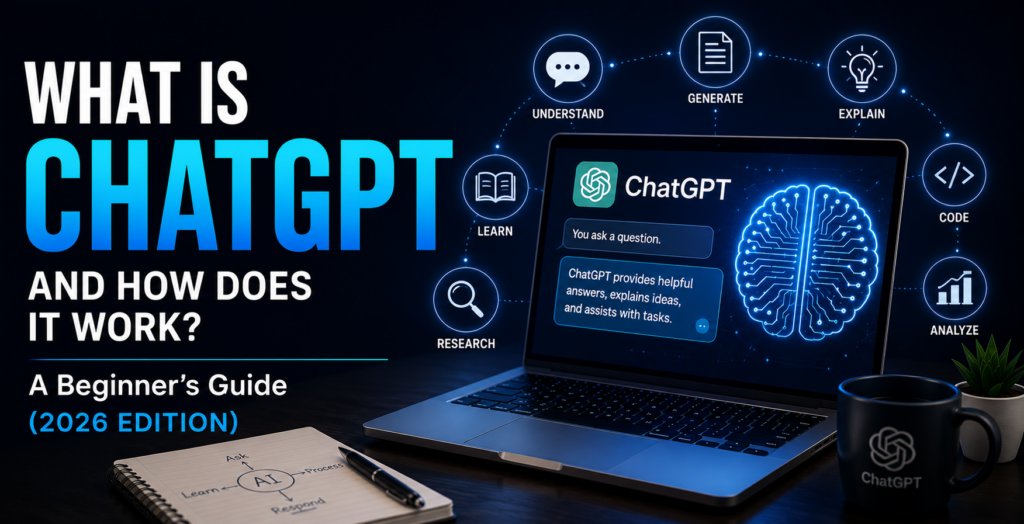
If you’ve heard people talking about artificial intelligence, chances are you’ve also heard the name ChatGPT.
Students use it to study. Business owners use it to write emails. Content creators use it to brainstorm ideas. Professionals use it to save time, and millions of everyday people use it simply to get answers to questions.
But what exactly is ChatGPT?
Is it a search engine like Google? Is it a robot? Does it actually “think” like a human?
In this guide, we’ll answer those questions and explain ChatGPT in simple language—no technical background required.
What Is ChatGPT?
ChatGPT is an artificial intelligence assistant that allows you to have conversations with a computer using everyday language.
Instead of clicking through websites to find information, you simply type (or speak) a question, and ChatGPT responds with an answer.
For example, you can ask:
- “Explain gravity like I’m 10 years old.”
- “Help me write a professional email.”
- “Give me healthy dinner ideas.”
- “Plan a weekend trip to Chicago.”
- “Create a workout routine for beginners.”
Within seconds, ChatGPT generates a response based on what you asked.
Think of it as having a knowledgeable assistant that’s available 24 hours a day, seven days a week.
Who Created ChatGPT?
ChatGPT was created by OpenAI, an artificial intelligence research and technology company.
The goal behind ChatGPT is to make AI useful and accessible for everyone—not just programmers or technology experts.
Since its public release, millions of people around the world have started using ChatGPT for work, school, business, creativity, and everyday life.
What Does “GPT” Mean?
The name ChatGPT has two parts:
Chat simply means you interact with it through conversation.
GPT stands for Generative Pre-trained Transformer.
That sounds complicated, but here’s a much simpler explanation:
- Generative means it creates new content instead of copying and pasting existing text.
- Pre-trained means it learned from a massive collection of books, articles, websites, and other written material before it became available to the public.
- Transformer is the type of AI technology that helps it understand relationships between words and generate natural-sounding responses.
You don’t need to remember the technical name. Just remember this:
ChatGPT is designed to understand your questions and generate helpful responses in everyday language.
How Does ChatGPT Work?
Imagine you’ve read millions of books, articles, conversations, and documents.
Now imagine someone asks you a question.
Instead of searching the internet in real time, you use everything you’ve already learned to create the best possible answer.
That’s a simplified way to think about ChatGPT.
When you enter a prompt, ChatGPT:
- Reads your request.
- Understands the context of your question.
- Predicts the words that are most likely to create a helpful response.
- Generates an answer in just a few seconds.
Although it often feels like you’re talking to a person, ChatGPT isn’t thinking or feeling. It’s recognizing patterns in language and generating responses based on what it has learned.
What Can You Use ChatGPT For?
One of the reasons ChatGPT has become so popular is its versatility.
People use it every day to:
Writing
- Emails
- Letters
- Social media posts
- Blog articles
- Resumes
- Cover letters
Learning
- Explain difficult topics
- Study for exams
- Summarize books
- Practice languages
- Solve math problems with explanations
Work
- Brainstorm ideas
- Create presentations
- Organize projects
- Write reports
- Draft meeting agendas
Creativity
- Write stories
- Generate poems
- Create scripts
- Develop business names
- Brainstorm marketing ideas
Everyday Life
- Meal planning
- Vacation planning
- Budget ideas
- Fitness routines
- Gift suggestions
- Home organization tips
The possibilities continue to grow as AI technology improves.
Is ChatGPT Connected to the Internet?
The answer depends on how you’re using it.
Some versions of ChatGPT can access the web to provide more up-to-date information, while others respond using the knowledge they were trained on.
Because features can vary depending on the version you’re using, it’s a good habit to verify important information—especially for topics involving health, finances, legal matters, or breaking news.
Is ChatGPT Always Correct?
No.
Like any AI tool, ChatGPT can make mistakes.
Sometimes it may:
- Misunderstand a question.
- Provide incomplete information.
- Give outdated information.
- Present incorrect information confidently.
That’s why it’s best to think of ChatGPT as a helpful assistant rather than a perfect source of truth.
For important decisions, always double-check information using trusted sources.
Tips for Getting Better Answers
The quality of ChatGPT’s responses often depends on the quality of your prompt.
Instead of asking:
“Tell me about dogs.”
Try asking:
“Explain the differences between Golden Retrievers and Labrador Retrievers for a family with young children.”
The more details you provide, the more useful the response is likely to be.
Here are a few quick tips:
- Be specific.
- Include important details.
- Ask follow-up questions.
- Request examples if something isn’t clear.
- Tell ChatGPT who the audience is, such as “Explain this for a beginner.”
What Are the Different Versions of ChatGPT?
ChatGPT is available in both free and paid versions.
The free version gives users access to powerful AI features, while paid plans typically include benefits such as:
- Access to more advanced AI models.
- Faster response times during busy periods.
- Additional tools and capabilities.
- Higher usage limits.
The best choice depends on how often you plan to use ChatGPT and which features you need.
Common Misconceptions About ChatGPT
“ChatGPT searches Google.”
Not exactly.
ChatGPT generates responses based on AI models. Some versions can also search the web, but that’s different from functioning as a traditional search engine.
“ChatGPT knows everything.”
No.
It has broad knowledge but can still make mistakes or lack the latest information.
“Only programmers use ChatGPT.”
Not at all.
Many users have no technical background. Students, teachers, parents, retirees, entrepreneurs, office workers, and small business owners all use ChatGPT every day.
“Using ChatGPT is cheating.”
It depends on how it’s used.
Using AI to learn, brainstorm, organize ideas, or improve your writing is very different from presenting AI-generated work as your own when originality is required.
Responsible use is the key.
Frequently Asked Questions
Is ChatGPT free?
Yes. A free version is available, along with optional paid subscription plans that offer additional features.
Can ChatGPT write essays?
Yes. It can help generate essays, outlines, summaries, and research assistance. However, you should always review and edit the final work.
Can ChatGPT create images?
Yes. Depending on the version you’re using, ChatGPT can also help create or edit images using AI image-generation tools.
Does ChatGPT remember everything I tell it?
Not necessarily. Some versions offer optional memory features that allow ChatGPT to remember certain preferences between conversations, while others do not. You can also manage or disable memory settings if they’re available in your account.
Can businesses use ChatGPT?
Absolutely.
Many businesses use ChatGPT for customer support, marketing, brainstorming, writing, planning, and improving productivity.
Final Thoughts
ChatGPT is much more than a chatbot—it’s a versatile AI assistant that can help people learn, create, solve problems, and save time.
Whether you’re writing your first resume, planning a vacation, running a small business, or simply trying to understand a new topic, ChatGPT can be a valuable tool when used thoughtfully.
The most important thing to remember is that ChatGPT works best as a partner, not a replacement for your own judgment. Ask clear questions, verify important information, and use it to enhance your learning and productivity.
As AI continues to evolve, knowing how to use tools like ChatGPT will become an increasingly valuable skill. The good news is that you don’t need to be a technology expert to get started—you just need curiosity and a willingness to ask questions.
Ready to keep learning? Explore the other beginner-friendly guides on MasterAIBasics to discover how AI can make everyday tasks simpler, faster, and more productive.