For many office workers, the day fills up quickly.
You answer emails, attend meetings, update spreadsheets, write reports, organize projects, respond to customers, and somehow try to finish your own work before the day ends.
It’s easy to feel like there simply aren’t enough hours in the day.
That’s where artificial intelligence can help.
AI isn’t designed to replace office workers. Instead, it helps automate repetitive tasks, organize information, and improve productivity, allowing you to spend more time on work that requires your experience, judgment, and creativity.
In this guide, you’ll learn practical ways to use AI to become more productive without making your work more complicated.
Think of AI as Your Digital Assistant
Imagine having an assistant who could help you:
- Draft emails
- Organize your notes
- Summarize long documents
- Brainstorm ideas
- Build checklists
- Create meeting agendas
- Explain unfamiliar topics
That’s exactly how many people use AI today.
Rather than replacing your role, AI helps you complete routine tasks more efficiently so you can focus on higher-value work.
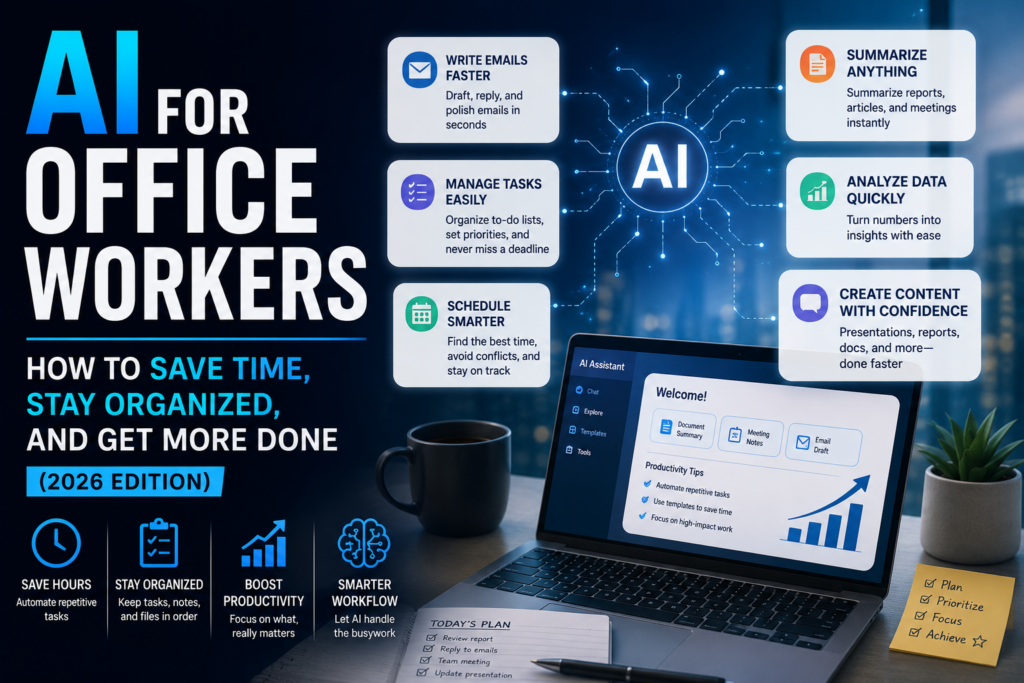
1. Write Emails Faster
Writing emails may not seem like a major task until you realize how many you send each week.
AI can help draft:
- Customer responses
- Follow-up emails
- Internal announcements
- Meeting invitations
- Status updates
- Professional replies
Instead of starting from scratch, you can review and personalize a well-written first draft.
2. Summarize Long Documents
Not every report needs to be read from beginning to end.
AI can summarize:
- Reports
- Policies
- Meeting notes
- Research documents
- Proposals
- Training materials
This allows you to understand the key points much more quickly.
Always review important documents yourself before making decisions, but AI can save valuable time during the review process.
3. Organize Meetings
Meetings generate a lot of information.
AI can help create:
- Agendas
- Action items
- Meeting summaries
- Follow-up emails
- Task lists
- Project timelines
Instead of spending extra time organizing notes, you can focus on completing the work discussed during the meeting.
4. Improve Your Writing
Clear communication is an important part of almost every office job.
AI can help improve:
- Grammar
- Clarity
- Professional tone
- Sentence structure
- Readability
Whether you’re writing a report or responding to a client, AI can help you communicate more effectively.
5. Brainstorm Ideas
Need fresh ideas?
AI can assist with:
- Project planning
- Team-building activities
- Process improvements
- Presentation topics
- Marketing campaigns
- Problem-solving approaches
Sometimes a few suggestions are enough to spark your own solution.
6. Build Better Presentations
Creating presentations often takes longer than expected.
AI can help:
- Organize information
- Suggest slide outlines
- Write speaker notes
- Summarize research
- Generate presentation titles
You’ll still add your expertise, but AI can help you build a solid foundation more quickly.
7. Manage Your Daily Tasks
Busy workdays can feel overwhelming.
AI can help organize:
- Daily priorities
- Weekly schedules
- Project checklists
- To-do lists
- Deadlines
- Personal productivity plans
A clear plan can make even a hectic day feel more manageable.
8. Learn New Skills
Need to understand a new process or software?
AI can explain:
- Excel formulas
- Business terminology
- Project management concepts
- Workplace communication
- Basic coding
- Data analysis
- Industry-specific topics
Instead of searching through multiple websites, you can ask questions and receive explanations tailored to your experience level.
9. Research More Efficiently
Whether you’re comparing vendors, learning about competitors, or gathering information for a project, AI can help you organize and summarize research.
It’s still important to verify critical facts, but AI can significantly reduce the time spent gathering background information.
10. Create Checklists and Procedures
Many office tasks follow the same steps every time.
AI can help create:
- Standard operating procedures
- Employee onboarding guides
- Training documents
- Office checklists
- Workflow instructions
Documenting processes improves consistency and makes training easier.
Protect Confidential Information
While AI is helpful, it’s important to be careful with sensitive workplace information.
Avoid entering:
- Confidential company documents
- Customer financial information
- Employee records
- Passwords
- Proprietary business information
- Protected client data
Always follow your organization’s policies regarding AI and data privacy.
When in doubt, ask before sharing workplace information with any AI platform.
Common Mistakes Office Workers Make
Expecting AI to Do Everything
AI is excellent at creating first drafts and organizing information, but your review and judgment are still essential.
Copying AI Responses Without Reviewing Them
Always proofread AI-generated content before sending it to coworkers, clients, or customers.
Sharing Confidential Information
Protect your company’s data by following workplace privacy and security policies.
Ignoring AI Completely
You don’t need to use AI for every task.
Even using it occasionally can save time and reduce repetitive work.
Frequently Asked Questions
Will AI replace office jobs?
AI is changing many office tasks, but most jobs involve communication, decision-making, collaboration, and problem-solving that still require people.
Can AI improve productivity?
Yes.
Many office workers use AI to draft emails, organize projects, summarize information, and automate routine work, allowing them to focus on more meaningful responsibilities.
Do I need technical skills?
No.
Most AI tools are designed for everyday users and require little or no technical knowledge.
Should I tell my employer I’m using AI?
Follow your company’s policies. Many organizations encourage responsible AI use, while others have specific guidelines about when and how AI tools may be used.
Final Thoughts
Artificial intelligence is quickly becoming another tool in the modern workplace, much like email, spreadsheets, and video conferencing did before it.
The goal isn’t to replace office workers. It’s to help them work more efficiently by reducing repetitive tasks, organizing information, and improving communication.
The most successful professionals won’t necessarily be the ones who work the longest hours. They’ll be the ones who learn how to use new tools effectively while continuing to apply the judgment, professionalism, and people skills that technology can’t replace.
Start small. Use AI to draft an email, summarize a report, or organize your task list. As your confidence grows, you’ll discover more ways to make AI part of your daily workflow.
At the end of the day, AI doesn’t replace experience—it helps you make better use of it. When routine work takes less time, you have more energy to focus on solving problems, supporting your team, and delivering your best work.